Don’t Buy Paper- Just Print ItDo you dazzle? Do you jump off the page?
Feb  09
1

7 Essential iPhone Apps for Students


apple-iphone-keyboard.jpg

As I’ve always said, one of the things that makes students a unique breed is the perpetual state of mobility we’re in. Whether we’re going to class, parties or the library, our time spent in one place is often limited.

That’s why the mobility of our productivity is so important- we have to be able to bring our lives with us as much as possible. For many people, that used to mean owning and carrying a laptop.

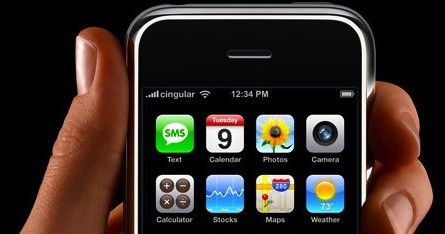
Now, it increasingly means owning an iPhone. With the wonder that is the Application Store, you can now do more than ever on the go, right from your iPhone or iPod Touch. As students, we need the added flexibility and anywhere-productivity that the iPhone allows (that’s the line to sell to your parents…)

Here are seven applications for every student’s iPhone or iPod Touch:

Pandora

You have to listen to music, right? The great Web radio application, Pandora, works just as well from your iPhone. Start with a song or an artist, and get a never-ending playlists of songs you’ll love. Great for background music, studying music, or music to jam to to keep you awake during an all-nighter. You can save playlists or create them on the fly- having Pandora is like having a personally-tailored radio station, right at your fingertips.

NimBuzz

Instant Messaging is a staple of most students’ computer screens. With Nimbuzz, your IM contacts can come with you anywhere you go. Nimbuzz aggregates your accounts from Skype, MSN, Yahoo, ICQ, AIM, Google Talk and many others. All the messaging you could possibly want to do, you can do with Nimbuzz. There’s a Web app, a desktop app, and apps for many mobile phones- including the iPhone. With Nimbuzz, all your friends are just a click away.

Facebook

This one’s a no-brainer- Facebook’s the best way to communicate with people in your social world. The application’s not the best, but Facebook is such a critical tool to managing your events, friends, photos and goings-on that it’s increasingly difficult to do anything without Facebook. For me, my whole social life is becoming centered around Facebook- right down to the chat application letting you leverage your Facebook contacts to talk instantly with your friends.

A2ZPro

At least one of these has to be school-related, right? A2ZPro is a super-converter of an application, perfect for anyone in the math or science fields- or just anyone who needs to figure out how many cups are in a quart after all. There are 154 things between which you can convert, and you can add any one that’s not already included. You can customize the list to your liking, and all the converting you could need is right in front of you.

Remember the Milk

We’ve all got stuff to do, right? Remember The Milk’s iPhone application lets you add, edit, and manage your tasks either on or offline. The best part, particularly for students, is the “Nearby” feature- you can view all the tasks, errands, etc. that take place near wherever you currently are. It’s perfect for anyone who’s mobile, but still needs to be able to get things done.

Twitterfon

Twitter, in addition to being the easiest way to waste a ton of time on the Web, has potential to be hugely useful. It’s a great way to find interesting things to read, get questions answered, or communicate with other people similar to you. Twitterfon’s also the free Twitter app of choice- offering easy way to read and write tweets, and organize your messages, replies, and friends. If you can avoid the time-drain that Twitter can be, it’s a powerful way to manage your information and learn a lot at the same time. (I should mention- this isn’t the only Twitter app out there, or even my favorite, but it’s the best free one there is. If you want my favorite, try Tweetie.)

Stanza

Reading. Apparently that’s a critical part of school. With Stanza, you’ll have an e-book reader available right on your iPhone. You can download books, either for a fraction of their print price or often nothing at all, and read them at your leisure, right from your iPhone. There is a huge, and growing, list of books to read- both school-like and otherwise. With Stanza, you might not need a Kindle, an eReader, or anything else!

Your iPhone or iPod Touch really can be your one-stop productivity and fun spot as a student, all without costing you another penny.

What iPhone or iPod Touch apps do you use?

Related Posts:

32 Comments so far »

  1. Mephy said

    am February 1 2009 @ 3:52 pm

    the RTM app is not free, you have to get RTM pro account ($25/year) to use it on iphone/ipod touch.. The rest are great apps, especially pandora..

  2. Reinier said

    am February 2 2009 @ 2:04 am

    Nimbuzz also let’s you chat with your facebook friends and update your status.

  3. David Pierce said

    am February 2 2009 @ 5:44 pm

    @Mephy- Good point. I did that so long ago I guess I forget that you do need to pay for it. It’s well worth the $25, though, for all the additional features.

    @Reinier- Thanks! I’ve fallen for Nimbuzz, it’s really the only app I can find that integrates Skype and everything else, and does it well. I’m a fan!

  4. class said

    am February 2 2009 @ 8:25 pm

    Really great post, I would love to see more apps for iphone.

  5. class said

    am February 2 2009 @ 8:27 pm

    Look what you’ve done! I want.. NEED an iphone now!
    :)

  6. web marketing man said

    am February 3 2009 @ 5:38 am

    The iPhone sounds quite appealing. I’m waiting for the Nokia N97 to be launched though, will be getting myself that one.

  7. David Pierce said

    am February 3 2009 @ 12:38 pm

    @Class- Sorry… I thought that might happen. Get one- you won’t be disappointed.

    @web marketing man- Let me know how you like the N97, I’m curious to hear what the experience is like. It sounds pretty awesome.

  8. Current account said

    am February 4 2009 @ 6:44 am

    Those are great Apps,research shows that the number of downloads on the facebook app on iphone is on the increase. With my E71 nokia I still get to play around with really cool Apps too. Thanks

  9. web marketing man said

    am February 6 2009 @ 7:01 am

    Cool David, I’ll write a review on it and let you know about it. Great list of apps you have compiled there.

  10. Michael said

    am February 7 2009 @ 1:16 pm

    Nozbe (www.nozbe.com) has already a native iPhone app that syncs with the online Nozbe.com account. Unlike RTM, you can have both for free with unlimited tasks and notes and up to 5 projects.

    Thanks!

  11. Kampanye Damai Pemilu Indonesia 2009 said

    am February 10 2009 @ 9:12 pm

    looks like great, very simple and nice

  12. iPod accessories said

    am February 11 2009 @ 8:14 am

    Pandaro and Facebook are the two applications I will be looking forward to certainly. Thank you so very much for this well-written article.

  13. Setai said

    am February 11 2009 @ 10:23 am

    I recommend iBubbleWrap! It’s only useful for boooooring lectures - who doesn’t like to pop these little air bubbles

  14. appmacpersonthing said

    am February 18 2009 @ 8:19 pm

    Days Left is good for high school students: http://itunes.apple.com/WebObjects/MZStore.woa/wa/viewSoftware?id=304237055&mt=8

    It counts the number of schooldays until summer.

  15. web marketing man said

    am February 21 2009 @ 9:52 am

    Facebook is the must have, along with twitter. Skype is a great IM service, but I find that I’m increasingly using facebook’s IM service, as it is just so much easier to have only one app open.

  16. meeting rooms said

    am February 24 2009 @ 7:34 pm

    I was reading on the papers today, that majority of the applications downloaded on iphone are only used with the first week.So it’s not just about getting your memory full- make sure you use them,..

  17. Acai said

    am March 1 2009 @ 3:17 pm

    The universal calculators and converters can also be very handy if you are doing maths on regular basis.

  18. Used Tires said

    am March 2 2009 @ 4:54 am

    You know, I really like the concept of the iPhone, however, I tried one for the first time at Best Buy, I tried using the keyboard to surf the internet, I found that alot of the times, I would hit the wrong key, it seemed like there letters were all too tight for typing.

    Does that happen alot? Or did my inexperience of using an iPhone is what made me get the bad experience?

    Till then,

    Jean

  19. Kidmam said

    am March 3 2009 @ 12:15 am

    iPhone is a good phone. But I use another phone.

  20. TonNet said

    am March 4 2009 @ 8:49 pm

    Personally, I would love to read your selection about the 7 Essential iPhone Apps for Educators or Education.

    Great post. Thanks.

  21. Student said

    am March 4 2009 @ 11:24 pm

    I could really use these apps, but as a poor student I refuse to pay Apple that much money for their iphone.

  22. Business Energy Conservation said

    am March 9 2009 @ 8:29 am

    Thanks for information about iphone. This information really helpful for iPhone user.

  23. Healthcare Management said

    am March 13 2009 @ 8:54 am

    It been always problem for me to find such application but get happy evening, you given some apps for student like us who not having time useful apps of iphone now we friends easily sticks with IPhone for long time.

  24. Computer Repair St Pete said

    am April 22 2009 @ 8:54 am

    These 7 application are really helpful for students. I will use Pandora for web radio. Thanks for information.

  25. Telecom Tampa said

    am May 20 2009 @ 5:25 am

    Good application. I like music. I will download Pandora in my iphone. Thanks.

  26. A Concerned Parent said

    am May 28 2009 @ 3:10 am

    Party buddy is also a must have for students. We all know how much partying is happening in college… be safe and get Party Buddy now!

  27. phlebotomy certification said

    am June 7 2009 @ 4:23 pm

    The Pandora app is down right COOL!

  28. Kacamak said

    am June 12 2009 @ 3:54 pm

    The Pandora app is down right COOL!

  29. 2009 Sbs Sonuçları said

    am June 13 2009 @ 7:33 am

  30. Video said

    am June 13 2009 @ 2:48 pm

    I recommend iBubbleWrap! It’s only useful for boooooring lectures - who doesn’t like to pop these little air bubbles

  31. April Sampson said

    am July 6 2009 @ 8:07 am

    I use What Do I Need To-Do for keeping track of all my todos. It has a cool graphic urgent v important matrix which works for me. Although iBubbleWrap is pretty cool too..!

  32. Lumineers Cost said

    am November 9 2009 @ 2:35 am

    The iphone is a fun accessory to have but it is just too darn distracting. That doesn’t mean I don’t want one :).

Comment RSS · TrackBack URI

Leave a comment

Name: (Required)

Email: (Required)

Website:

Comment:


AboutGearfire

Gearfire was created in January of 2007 by Geoff R and Jordan S. Gearfire deals with personal productivity, organization, and Getting Things done from a student's perspective. Gearfire is written entirely by students, and is written towards students, but is usually applicable to a general audience. Our other writers are Daniel and Chris, whom have joined us over the past year.